How to Install the iOS Bleacher Report Emojis
Say 👋 to the Bleacher Report for Team Stream! We’ve designed brand-new for when 🔥, 💯, 😱 or 😂 don’t quite cut it.
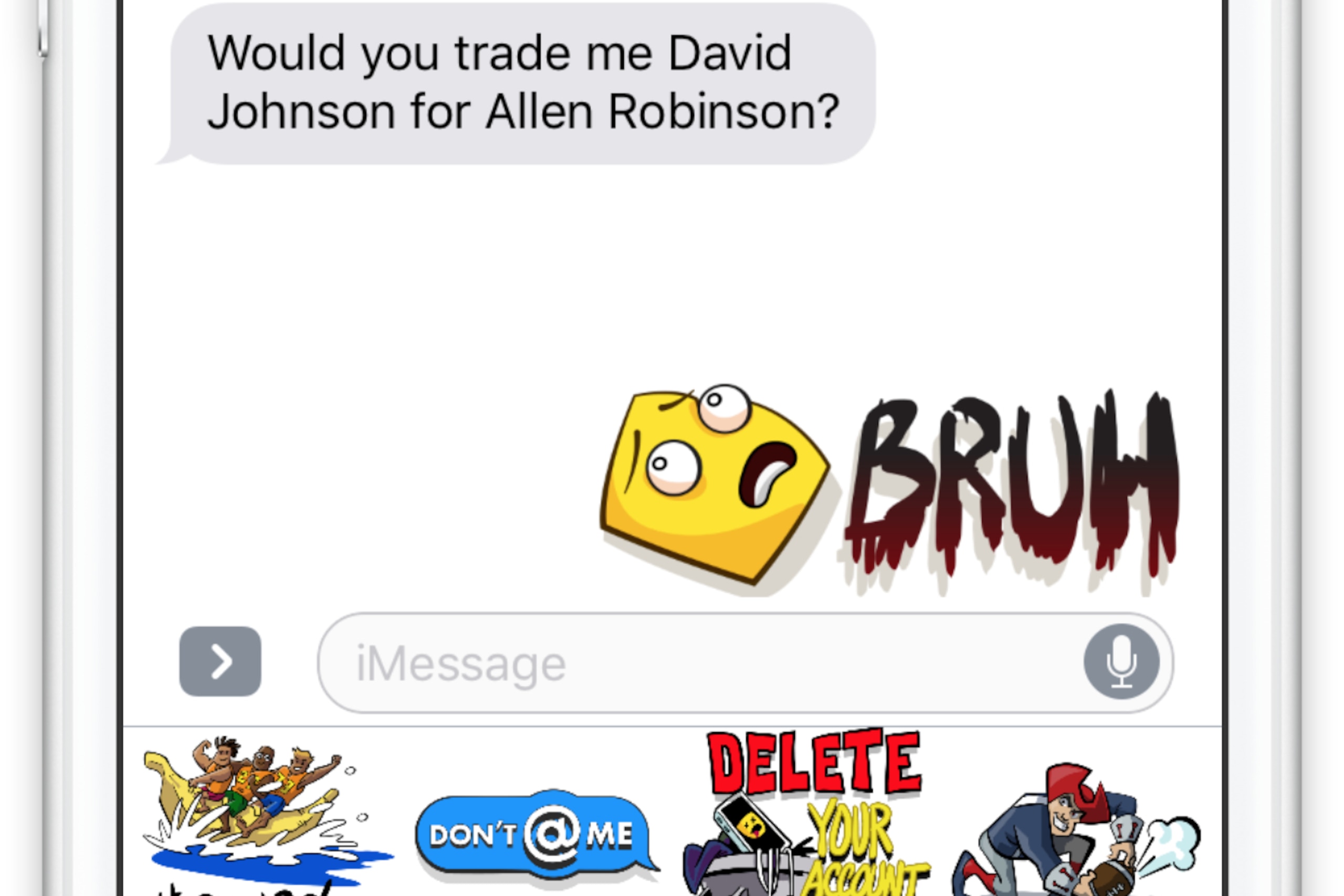
You can choose from dozens of new that are perfect for responding to a GIF of a buzzer-beater, rejecting an absurd fantasy trade proposal and so much more.
Don’t worry if your friends and family don’t have the app (or even an iPhone). You can send these to anyone and everyone!
TOP NEWS

Unranked CFB teams cause chaos in Week 8

Brown with an all-time summary of relationship with Tatum

More top teams upset and more takeaways from CFB Week 8
You can start using Bleacher Report right now by either installing our keyboard or app ( 10 only).
If you use or any other third-party keyboards, this is the same process.
To Install the Keyboard:
First, make sure you have the latest version of Team Stream installed on your iPhone.
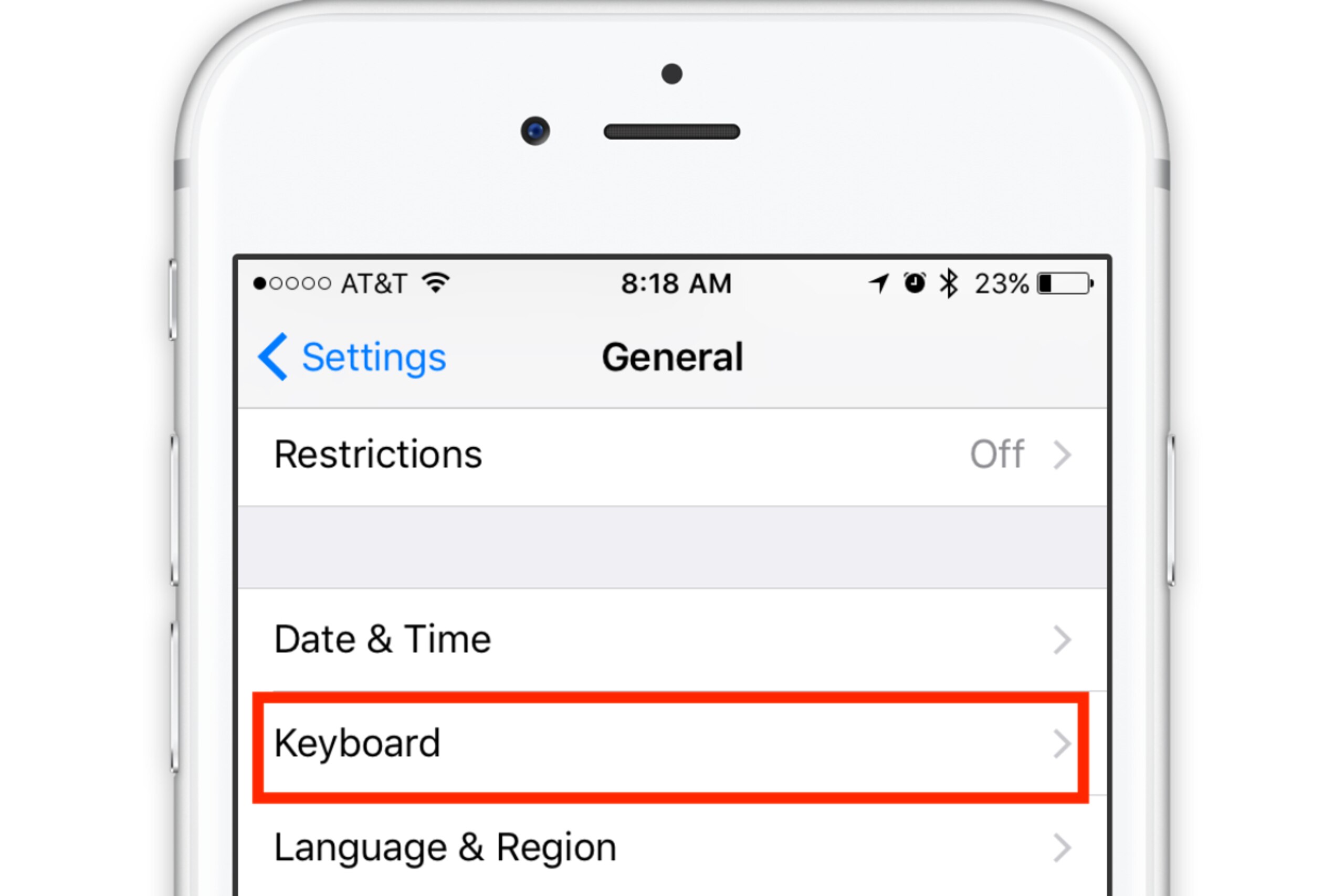
Next, open your Settings, tap "General" and then tap "Keyboard":
Tap "Add A New Keyboard" → Select "Team Stream"

Return to the "Keyboards" list. Tap "Team Stream" one more time.

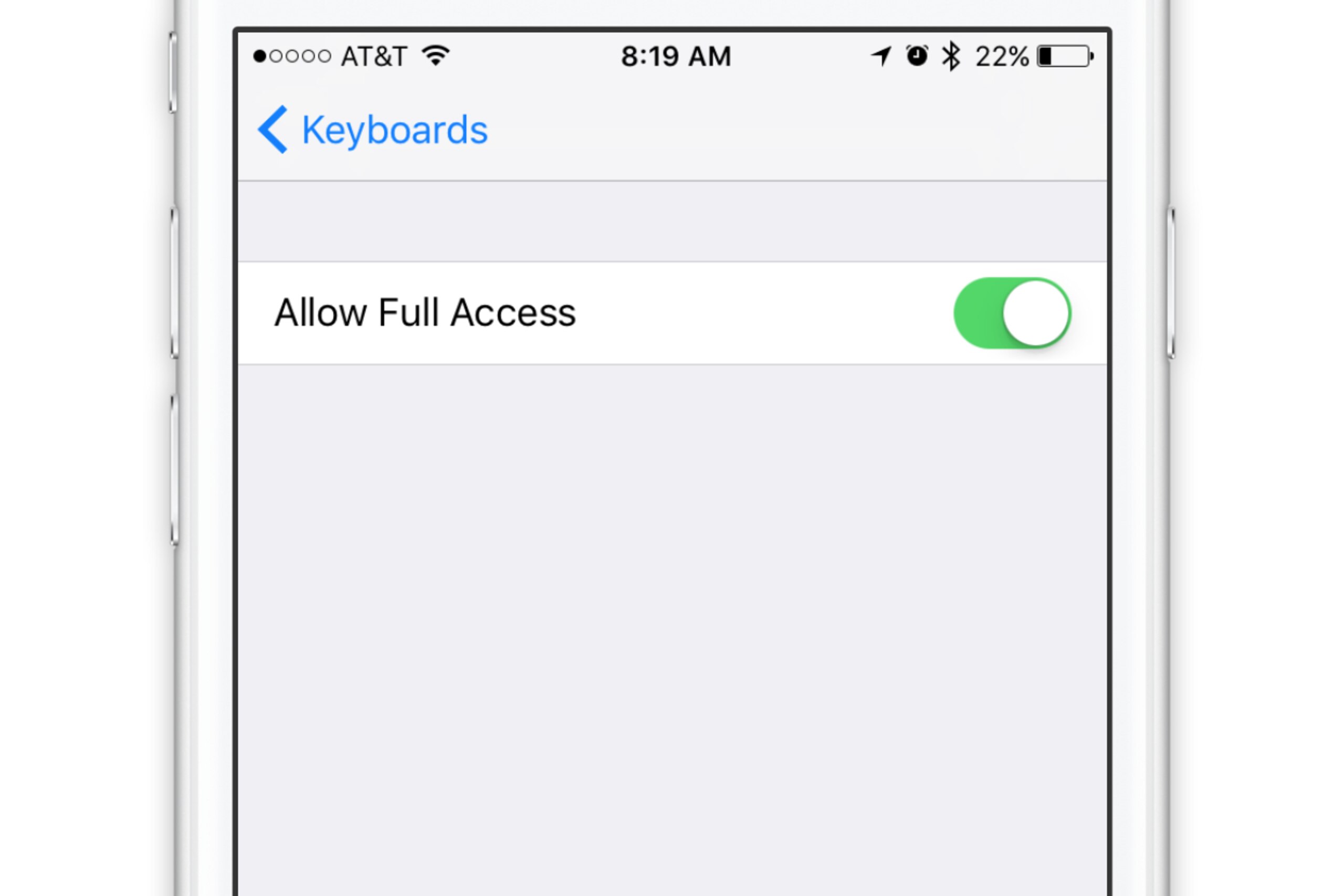
Toggle "Allow Full Access" from Off to On (you will also get a pop-up asking you to confirm; please tap "Allow").
To Install the App:
- Make sure you have the latest version of Team Stream installed on your iPhone.
- Open the Messages app.
- Start a new message → Tap the "App Store" icon.
- Tap the "(+) Store" button to launch the App Store.
- Tap "Manage."
- Toggle the Team Stream app from Off to On.
If you have any issues installing the keyboard or the app, please email us at +feedback@bleacherreport.com.

.jpg?w=2560 "Colts Football")